We set the stage for how the U.S. market is shaping what comes next in portable computing. I’ll walk you through bold ideas that major brands are testing, from foldable screens that expand workspace to transparent displays that spark new workflows.
Expect built-in AI to make your device smarter at security and at personalizing settings. Networking upgrades like 5G and Wi‑Fi 7 will mean low‑latency meetings and instant file sync. That shifts the user experience more than raw processing power alone.
Materials matter. Carbon fiber, aluminum alloys, and recycled plastics cut weight and waste while keeping durability high. Battery advances such as lithium‑polymer and early solid‑state cells promise longer runtimes and faster charging for road warriors.
We’ll also explore prototypes like Lenovo’s Project Crystal to see how transparent screens and AR could change creation tools. By the end, you’ll know what matters when you buy, and how the market answers real needs for work and play.
Key Takeaways
- Foldable and transparent screens aim to expand workspace without adding bulk.
- AI will move from hype to everyday features for security and personalization.
- Faster networks like Wi‑Fi 7 and 5G enable smoother remote collaboration.
- Lightweight, recycled materials improve durability and cut waste.
- Battery innovations will extend run time and speed up charging for users on the go.
- Prototype displays show how AR and new interfaces could reshape workflows.
What Americans want to know now: mapping search intent to real laptop trends
Search queries from U.S. buyers point straight to practical needs: is a foldable screen worth it, how helpful are AI assistants, and which models last all day on a charge?
We translate those questions into clear buying signals you can use today. If your priority is remote work, look for Wi‑Fi 7 support, optional 5G, and efficient OLED panels that balance brightness with battery life.
For creative tasks, match processor class, GPU options, and generous memory/storage to the workloads you run. That speeds rendering, editing, and multitasking without overspending.
- Security: biometric sign-ins, hardware-backed encryption, and AI threat detection.
- Portability: carbon fiber or aluminum frames for light daily carry and durability.
- Upgrades: modular RAM/storage where possible, and realistic expectations for expandability.
We link search intent to real features so you can compare models by what matters: display accuracy for creators, battery longevity for travelers, and software tools that boost productivity in business settings.
Hardware and design innovations reshaping laptops
Engineers are blending new materials and display tricks to give you more workspace without extra bulk. That means smarter choices for travel, editing, and daily work.
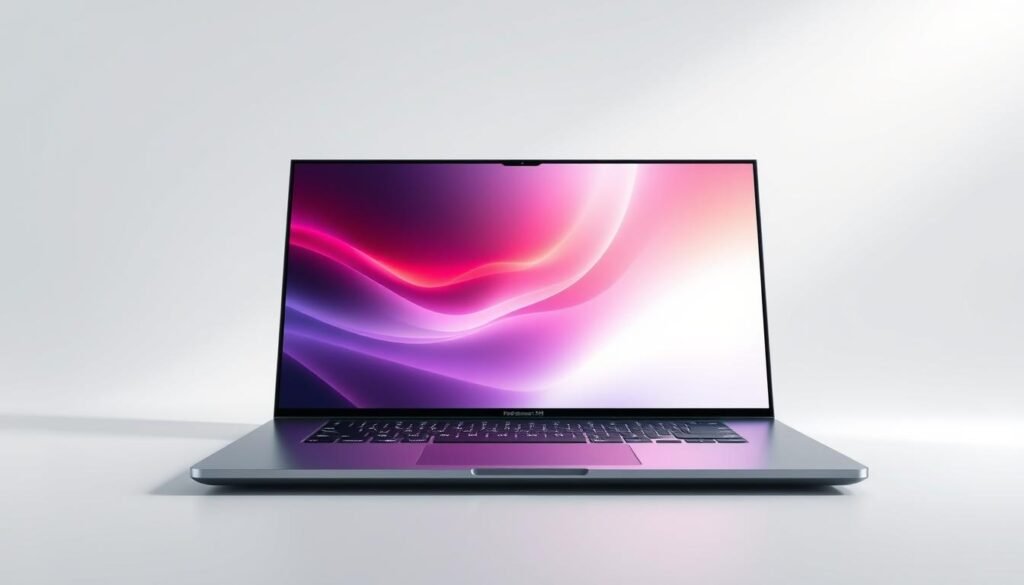
“Foldable panels let you carry a lot more screen in the same bag.”
Foldable and dual screens
Foldable and dual-screen designs pack expansive workspace into a small carry case. Unfolded, you get more screen real estate for timelines, code, or dashboards without a separate monitor.
Display breakthroughs
OLED and micro‑LED bring deeper blacks, higher brightness, and better color accuracy for creators. Higher refresh rates and beyond‑4K clarity help you see more detail and smooth pen input.
Materials, sustainability, and modularity
Carbon fiber lids and aluminum frames shave weight while keeping strength. Recycled plastics and low‑power panels boost efficiency and extend runtime.
Some makers now offer modular RAM and storage so you can upgrade later and keep a device longer.
- Enhanced inputs: haptics, adaptive keys, larger precision touchpads improve comfort.
- Smart hinge and port layouts save desk space and tame cable clutter.
- These innovations help you use less space while gaining more capability.
The future of laptop technology in connectivity and software intelligence
Today’s connectivity upgrades pair with on‑device AI to make computing smoother and safer for users. AI that lives on the machine personalizes settings, boosts performance, and spots threats in real time.
AI integration on-device brings Copilot-style helpers that summarize notes, auto-tune software, and flag anomalies without sending raw data to the cloud. That keeps private files local while giving you smart assistance for daily tasks.
Faster links and hybrid workflows
Wi‑Fi 7 and built-in 5G deliver multigig speeds and low latency for live collaboration and high-res streaming. Cloud services handle heavy renders, while edge compute keeps sensitive content local for speed and privacy.
- On-device AI auto-tunes performance and alerts you to suspicious behavior.
- Wi‑Fi 7 at home and 5G on the go reduce upload delays and speed large file moves.
- Hybrid cloud + edge workflows let creators sync assets instantly and cache what they use most.
Security evolution
Biometrics, hardware-backed encryption, and AI-driven anomaly detection harden protection so you can focus on work. IT teams benefit when fleets standardize on modern radios and smarter security stacks.
“Keep heavy data local and let smart networks handle the rest.”
We’ll help you pick the right mix for how you use a device, whether you’re sharing screens, uploading footage, or hopping between client networks.
Performance, power, and thermal breakthroughs
Performance gains today come from smarter chip designs that juggle speed and battery life.
Next-gen processors and NPUs
New processor generations pair high-performance cores with efficient cores and dedicated NPUs. That mix lets heavy apps sprint while background AI tasks sip power.
Advanced cooling
Thin designs no longer mean throttled processing. Vapor chambers, slimmer heat pipes, and smart fan curves keep sustained speed in slim laptops.
“Sustained clocks matter more than peak burst for real projects.”
Battery life leaps
Battery tech is improving fast: better lithium-polymer cells, early solid-state cells, and rapid charging standards. Efficient displays and low-power silicon stretch runtime so you finish work without scrambling for an outlet.
- Storage and memory: faster SSDs and more RAM cut wait times for large files and heavy computing tasks.
- Graphics: choose integrated or discrete GPUs by your render and AI needs; discrete cards boost heavy renders and simulations.
- Practical tips: read TDP, boost behavior, and NPU specs to match real workloads, not just marketing claims.
From concept to reality: experimental ideas shaping tomorrow’s devices
Concept prototypes today test bold ways to merge real-world views with working screens. They show where a transparent display can move past demos and into useful workflows.

Transparent displays like Lenovo’s Project Crystal are striking. The 17.3-inch micro‑LED can hit 1,000 nits, has glass on three sides, and flips zones between opaque and clear.
That design removes physical keys with an LED touch deck that becomes a pen-ready canvas. A rear camera powers AR demos for object recognition and live overlays used in training, design, and service tasks.
AR/VR on portable devices
AR demos pair cameras with AI to layer helpful content without extra headsets. Creators and educators can annotate real objects, and field teams get guided instructions right on the screen.
Quantum-adjacent and timelines
Quantum resources will likely be cloud-accessible first, speeding niche optimization and research rather than replacing everyday processors. Expect tangible steps in 2–5 years: foldables, better OLEDs, Wi‑Fi 7, and stronger on‑device AI.
In the 5–10+ year window, micro‑LED maturity and specialized quantum acceleration could appear for certain industry workloads. The key is practical gain: durability standards, privacy controls for AR cameras, and real accessibility for touch-first inputs.
“These concepts help us separate hype from helpful change, focusing on measurable benefits for creators, students, and field teams.”
- Transparent screens blend environment and content with on-demand opaque zones.
- Touch-first decks turn a notebook into a tablet-style canvas for sketching and editing.
- Cloud quantum tools will assist specialized industry workloads without replacing your main device.
User impact and market outlook in the U.S.
American professionals want devices that cut friction and speed real results.
Productivity and creation: new tools for business and content workflows
AI integration is a top priority. For many users, smart assistants that draft summaries, tag transcripts, and find files save hours each week.
Creators should look for color-accurate screens, capable GPUs, and fast SSDs to keep rendering and edits fluid.
For business travel, durability, quiet cooling, and rapid charging make a device reliable on tight schedules.
Buyer considerations: screens, processors, battery, security, and sustainability
Battery life and quick top-ups are practical wins. Check real-world runtime, not just the spec numbers.
Security is table stakes: biometric sign-ins, hardware encryption, and AI anomaly detection protect client data and IP.
Sustainability and modular upgrades reduce total cost while matching many teams’ values.
“Pick features that match real workloads, not marketing claims.”
- Match CPU/GPU tiers and RAM to your typical performance needs.
- Prioritize ports and wireless standards like Wi‑Fi 7 and 5G for collaboration.
- Value input design—haptics, adaptive keys, and pen support ease long sessions.
Conclusion
In closing, smarter hardware and cleaner software set a new bar for everyday computing. Foldable screens, on‑device intelligence, and faster links mean more work happens smoothly on the go.
The next generation of laptops blends better performance with practical features. Expect brighter displays, improved processors, and longer battery life that cut outlet anxiety.
Concept devices like transparent displays show what design innovation can do for real-world experiences. Cloud plus edge workflows will handle heavy jobs while a single device stays fast and private.
Quick checklist: usable performance, displays that fit your space, reliable battery life, security that works quietly, and features that truly speed your tasks.
FAQ
What key display upgrades should I look for in new laptops?
Look for OLED or micro‑LED panels, higher refresh rates (120Hz+), and color accuracy for content work. Beyond‑4K clarity helps creators, while HDR support boosts video playback. Also consider matte vs. glossy finishes and brightness (nits) for outdoor use.
Are foldable and dual‑screen designs practical for everyday work?
Yes — for many users they add real productivity gains. Dual and foldable screens let you run reference material and a primary app side‑by‑side without external monitors. Portability tradeoffs exist, so test hinge durability and software support before buying.
How will on‑device AI change day‑to‑day laptop use?
On‑device AI will personalize workflows, speed tasks like summarizing notes, enable Copilot‑style assistants, and detect security threats locally. It reduces cloud latency and keeps sensitive data on the machine, improving privacy and offline capability.
Should I expect better battery life from upcoming models?
Yes. Improvements come from efficient processors, NPUs that offload AI tasks, and battery tech like higher‑density lithium‑polymer or early solid‑state cells. Rapid charging and smarter power management will also extend usable hours between charges.
How important is Wi‑Fi 7 and 5G for laptop buyers?
Very important for users who rely on real‑time collaboration, cloud workflows, or mobile hotspots. Wi‑Fi 7 boosts home and office throughput; 5G provides consistent low‑latency access on the move. Choose based on your connectivity needs and local network availability.
Are modular or upgradable laptops making a comeback?
Yes, the trend toward upgradability is growing. Some vendors now offer user‑replaceable RAM and storage, and modular ideas aim to extend device lifespan and lower total cost of ownership. Check warranty and spare‑part availability before committing.
What security features matter most in next‑gen devices?
Biometric logins (fingerprint, IR cameras), hardware encryption, secure enclaves, and AI‑driven anomaly detection are key. These features protect data and support remote work security policies without complex admin overhead.
Will laptops become more sustainable and repairable?
Yes. Expect recycled materials, energy‑efficient components, and better repairability scores. Manufacturers are responding to consumer demand and regulation with clearer recycling programs and modular designs to reduce e‑waste.
How will advanced cooling change thin‑and‑light performance?
New cooling—vapor chambers, graphite sheets, and smarter fans—lets thinner laptops sustain higher performance for longer. This reduces thermal throttling and keeps fan noise down, improving the overall user experience.
What timelines should buyers expect for experimental features like transparent displays or AR support?
Many experimental ideas will appear in niche devices or prototypes in 2–5 years, while broader adoption could take 5–10+ years. AR/VR integrations will grow faster in content and enterprise niches; truly mainstream transparent displays remain further out.
How do NPUs and next‑gen processors affect workflow choices?
NPUs accelerate AI workloads—think real‑time transcription, image editing, and recommendation engines—while efficient CPUs and GPUs balance battery life and raw performance. Choose a device where the processor matches your primary tasks: creative apps, data work, or coding.
Can cloud and edge workflows replace local computing for creators?
They complement rather than fully replace local work. Cloud rendering and collaboration free up device limits for heavy jobs, while edge computing and on‑device AI reduce latency and dependency on bandwidth. Hybrid setups are the practical sweet spot today.
What should U.S. buyers prioritize when choosing a business or creator laptop?
Focus on screen quality, processor and NPU capabilities, battery life, security features, and sustainability. Consider portability and repairability for long‑term ownership, plus vendor support and warranty terms for business use.